Peach › Guides › Why right-to-left text breaks in a terminal
Why right-to-left text breaks in a terminal
Most write-ups get this wrong, so here it is precisely. If you write Hebrew, Arabic, Persian or Urdu into a terminal and the words arrive out of order, this is what is happening.
The text is fine. The drawing is not.
Hebrew, Arabic, Persian and Urdu are stored in logical order and reordered for display by the Unicode bidirectional algorithm. The characters the model writes are correct. What fails is the terminal's implementation of that reordering.
The trigger is a Latin run between two right-to-left words
A filename, a flag, a version number or a package name sitting inside a Hebrew sentence forms a bidirectional embedding the terminal resolves per line. When the sentence is long enough to wrap, a chunk of the line jumps position and you read the words out of order.
It is not the model, and not the font
The same text pasted into any browser reads correctly. Changing font, theme or shell does not help, because none of those own the reordering step.
What actually fixes it
Render the same text in an engine that implements the algorithm properly. Peach reads the session files Claude Code already writes and draws them in a browser engine, with paths and commands isolated left-to-right inside right-to-left sentences. Nothing about your workflow changes; the terminal keeps running exactly as before.
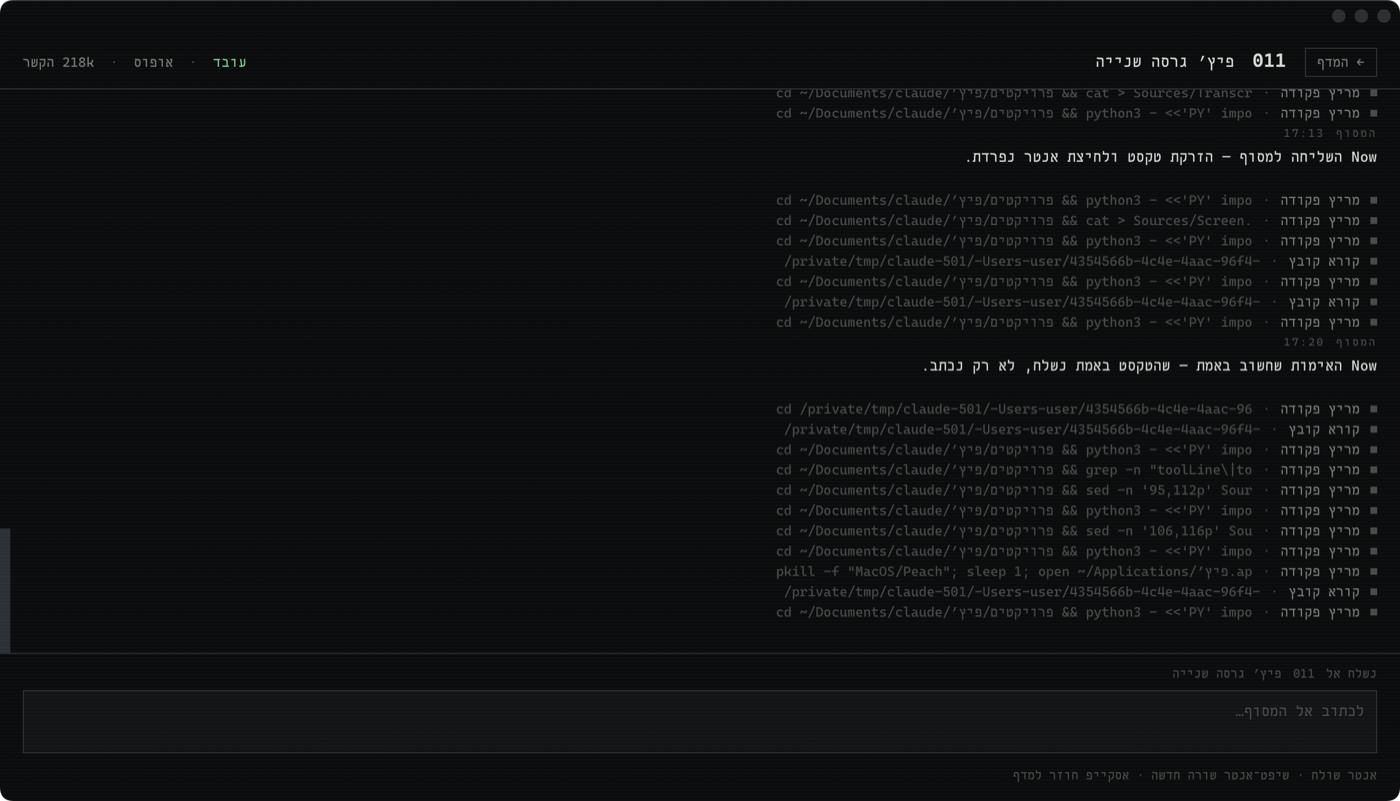
Every session on one screen
Peach is a free Mac window for Claude Code. Every session in one rack, reply without hunting for the terminal, answer a session's question in one click, and search everything you have ever said.
Download Peach